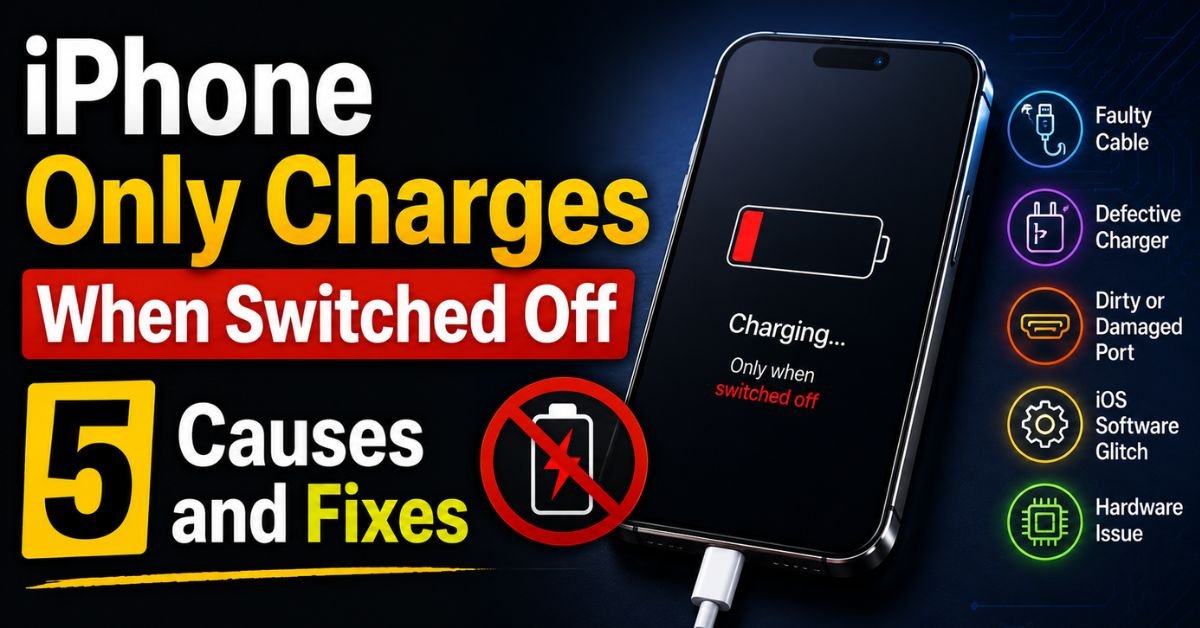
There is a specific kind of panic that sets in when you plug your iPhone in at 2:00 AM, see the charging bolt flicker for a microsecond, and then… nothing. You wake up five hours later to a black screen and a cold piece of glass. But then, the weirdness starts. You plug it in while it’s dead, the Apple logo pops up, it starts charging, but the moment the lock screen appears and iOS boots up, the charging stops dead in its tracks.
I’ve sat at a repair bench for the better part of a decade, and I’ve seen this exact “dead when on” symptom hundreds of times. It’s one of the most counterintuitive problems an iPhone owner can face. Why would a device accept juice when it’s powered down but refuse it the second it gains “intelligence”?

The answer lies in the complex “handshake” that happens between your charger and your phone’s logic board. When your iPhone is off, it’s in a primitive charging state. It’s basically just a Lithium-ion battery soaking up raw current. But once iOS is running, the Power Management Integrated Circuit (PMIC) and a specialized chip called the U2 IC (or Hydra in newer models) take over. They start asking questions: Is this cable safe? Is the voltage regulated? Is the amperage too high? If the answer to any of those is “I don’t know,” the software cuts the power to protect the phone from frying.
Let’s dive into why your iPhone is acting like a picky eater and how we can fix it.
Cause 1: Software Glitches & Handshake Failures
Sometimes, the software that manages your power intake simply trips over its own feet. Think of it like a bouncer at a club who has forgotten the guest list; he’s just going to keep the door shut until he gets his head straight.
In many cases, the “handshake” between the Lightning port (or USB-C on the iPhone 15/16) and the iOS charging daemon fails. This is often triggered after a major iOS update or if an app was drawing massive amounts of power right as the cable was plugged in.
The Fix: The Force Restart (The Technician’s First Move)
Before you spend a dime or poke at your hardware, you need to perform a Force Restart. This isn’t just turning it off and on; it’s a hardware-level power cycle that forces the PMIC to reset.
- For iPhone 8 and later: Quickly press and release Volume Up. Quickly press and release Volume Down. Then, hold the Side Power Button until the Apple logo appears.
- Why it works: It clears the temporary cache of the charging controller. I’ve seen this solve about 20% of “only charges when off” cases instantly.
If it still won’t charge while the screen is on, check for an iOS update. If a bug is causing a conflict with the USB Restricted Mode (a security feature that prevents data access through the port), a patch might be waiting for you.

Cause 2: Debris in the Lightning or USB-C Port
I can’t tell you how many people have come into my shop ready to pay $100 for a new battery, only for me to pull out a literal sweater’s worth of lint from their charging port for free.
Pocket lint is the silent killer of iPhone ports. Every time you shove your phone into your jeans, a tiny bit of denim fiber gets pushed into the bottom of the port. When you plug in your cable, you compress that lint into a hard, felt-like puck at the back.
The Real-World Scenario
When your phone is off, the pins might be making just enough contact to trickle charge. But when the phone is on, it requires a higher Amperage to both run the screen and charge the battery. If the connection is “dirty,” the resistance is too high, and the phone rejects the connection because it can’t maintain a stable voltage.
Expert Tip: The Tactile ‘Click’ Test A healthy iPhone connection should feel “clicky.” If you plug in your cable and it feels “mushy” or if the white plastic of the cable doesn’t sit flush against the phone’s frame, you have debris in there.
How to Clean It Safely
- NEVER use a metal needle or a safety pin. This is the fastest way to short out the gold pins and turn a cleaning job into a $300 logic board repair.
- Use a plastic or wooden toothpick. I personally like to shave the tip of a wooden toothpick with a craft knife to make it even thinner and flatter.
- The Technique: Gently dig around the corners. You’ll be shocked at the compacted “grey felt” that comes out.
Cause 3: Faulty or Non-MFi Certified Accessories
We’ve all been tempted by the $5 gas station cable. They’re colorful, they’re long, and they’re garbage.
Apple uses a system called MFi (Made for iPhone). Inside every certified Lightning cable is a tiny chip that communicates with your iPhone. This chip handles Voltage Regulation. Cheap cables often skip this chip or use a pirated version.
The “This Accessory May Not Be Supported” Alert
If your phone only charges when off, it’s often because the software is active enough to realize the cable is a knock-off and is blocking it for safety. When the phone is off, the “gatekeeper” (iOS) isn’t awake to check the MFi credentials, so the power flows through.
Pro Tip: Even if you’re using an original Apple cable, check the gold “teeth” on the end. If one of them is black or pitted (usually the 4th or 5th pin), that’s a sign of a tiny electrical short. Throw it away. It’s not worth risking your PMIC.
Always test with a known-good, original Apple wall brick and a brand-new MFi-certified cable before assuming the phone is broken.
Cause 4: The Dreaded U2 IC Logic Board Issue
This is where things get serious. If you’ve cleaned the port, tried a new Apple cable, and forced a restart, but the problem persists, you’re likely looking at a failure of the U2 IC chip.
The U2 IC (often called the Tristar chip in older models) is the “brain” that identifies what is plugged into the port. It’s responsible for the handshake I mentioned earlier.
Symptoms of a Failing U2 IC:
- The phone charges when switched off, but not when on.
- The battery drains incredibly fast, even when the phone is idle.
- The phone won’t charge past a certain percentage (like 1% or 80%).
- The device gets very hot near the center of the logic board while plugged in.
Why does it break? Usually, it’s caused by using a high-voltage car charger or a low-quality third-party power brick. These chargers send a spike of “dirty power” that the U2 IC can’t handle, effectively frying the chip’s ability to communicate.
The Verdict: This is not a DIY fix. It requires micro-soldering expertise. If you’re at this stage, you need to visit a reputable independent repair shop that performs board-level repairs, as Apple will simply tell you that you need a whole new phone.
Cause 5: Corrupted Firmware (The DFU Fix)
Before you declare the logic board dead, there is one final software “nuclear option”: DFU (Device Firmware Update) Mode.
Unlike a standard restore, DFU mode reloads the firmware—the code that tells the hardware how to act. If the firmware responsible for the USB controller has become corrupted, a standard iOS update won’t fix it.
How to enter DFU Mode (iPhone 8 and newer):
- Connect your iPhone to a computer.
- Press Volume Up, then Volume Down.
- Hold the Side Button until the screen goes black.
- As soon as it goes black, hold the Volume Down button while still holding the Side Button for 5 seconds.
- Release the Side Button but keep holding Volume Down for another 10 seconds.
- If the screen stays black but your computer says “An iPhone has been detected in recovery mode,” you’ve done it.
Warning: This will wipe every single byte of data on your phone. Back up your data first. If a DFU restore doesn’t fix the charging-while-on issue, you can be 99% certain you have a hardware failure in the U2 IC or the charging port assembly.
Real-Time FAQs
Q: Can a bad battery cause an iPhone to only charge when it’s off?
A: It’s rare but possible. If the Lithium-ion Battery has a faulty BMS (Battery Management System) board, it might not be able to communicate its status to iOS. However, 9 times out of 10, this specific symptom points to the charging port or the U2 IC chip rather than the battery cells themselves.
Q: Why does my phone charge fine in my car but not at home?
A: This usually indicates a voltage or amperage discrepancy. Your home charger might be a 5W “slow” brick that doesn’t provide enough current to overcome the resistance of a dirty port or a failing cable, whereas your car might be outputting a higher amperage. It could also be that the car charger is “dumb” and forcing power through, which is actually dangerous for the phone’s health.
Q: Is it safe to keep charging my phone only while it’s off?
A: It’s a “band-aid” solution. If the cause is a failing U2 IC, the chip may eventually short out completely, leading to a “No Power” state where the phone won’t turn on at all. It’s best to diagnose the root cause before the phone becomes a paperweight.
Q: How much does it cost to fix the U2 IC chip?
A: Since this involves micro-soldering, expect to pay anywhere from $80 to $150 at an independent repair shop. Apple does not offer this specific repair; they will suggest a “unit replacement,” which can cost $300-$600 depending on your model and AppleCare status.
Q: I have an iPhone 15 with USB-C. Can it still have this problem?
A: Yes. While the connector has changed, the logic remains the same. The USB-C controller (often called the “Hydra” or “Tigris” chip in newer schematics) performs the same handshake functions. In fact, USB-C ports are even more prone to debris because they have a center “tongue” that can easily trap lint on both sides.