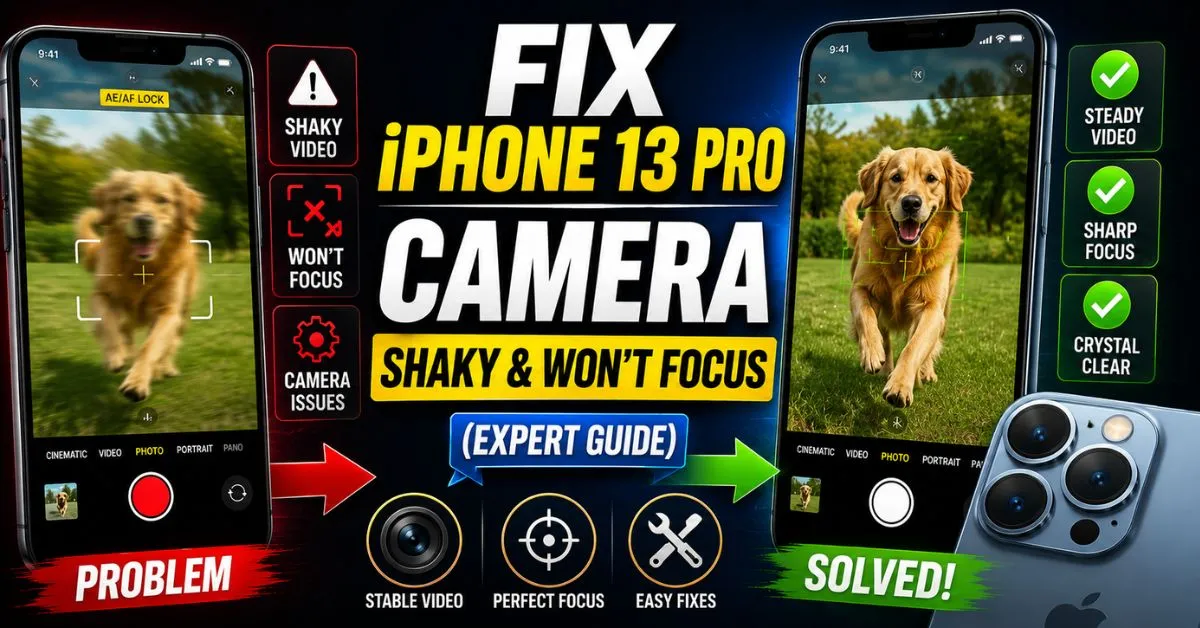
Fix iPhone 13 Pro Camera Shaky & Won’t Focus (Expert Guide).If you’ve ever opened your iPhone 13 Pro camera app only to see the viewfinder vibrating like it’s had ten shots of espresso, you know the feeling of pure, unadulterated panic. One minute you’re trying to capture a sunset, and the next, your phone is emitting a faint, high-pitched “humming” sound while the image on the screen dances uncontrollably.
I’ve spent the better part of the last decade hunched over a repair bench, and I can tell you from experience—having opened up over a hundred iPhone 13 series devices—that this isn’t just a “glitch.” It’s a physical battle happening inside your phone. The iPhone 13 Pro, with its massive triple-lens array and advanced Sensor-Shift Optical Image Stabilization (OIS), is a masterpiece of engineering, but it’s also surprisingly delicate.

When that camera starts shaking and refusing to focus, you’re likely dealing with a failure of the Voice Coil Motor (VCM) or a confused LiDAR Scanner. Before you go sprinting to the nearest Apple Store and dropping $200 on a replacement module, let’s walk through what’s actually happening under the hood and how we can potentially save your hardware.
The Shaky Camera Symptom: What is Actually Happening?
I remember the first time a customer brought in a 13 Pro with “the jitters.” They thought it was a virus. It wasn’t. When you hear that buzzing or humming sound coming from the camera bump, you are hearing the OIS magnets failing to find a “home” position.
Understanding Optical Image Stabilization (OIS) Failure
Unlike older iPhones where the lens moved to counteract your shaky hands, the iPhone 13 Pro uses Sensor-Shift OIS. The actual image sensor “floats” on a bed of magnets and coils (the VCM). When you move, the sensor moves in the opposite direction to keep the shot steady.
If those tiny springs or magnetic fields are disrupted—either by a physical drop or excessive vibration—the sensor starts oscillating wildly. It’s trying to stabilize a movement that isn’t there, or it’s physically stuck. This is why the camera looks like it’s shivering.
The Difference Between a Software Glitch and Hardware Damage
How do you know if it’s a total hardware failure? Here’s a quick test I always perform:
- Open the Camera app.
- If it shakes, switch to the 0.5x (Ultra Wide) lens.
- Does the shaking stop?
Usually, it does. Why? Because the Ultra Wide lens on the 13 Pro doesn’t always use the same stabilization mechanism as the Main (1x) lens. If the shake is lens-specific, you’re almost certainly looking at a physical Camera Module issue. If it shakes on every single lens, we might actually be looking at a software conflict or a Taptic Engine interference.

Common Culprits: Magnets and High-Frequency Vibrations
Believe it or not, your choice of phone case might be the villain in this story. I’ve seen countless “broken” cameras fixed simply by taking off a cheap, third-party MagSafe accessory.
How Magnets Disrupt the VCM
The Voice Coil Motor relies on extremely precise magnetic fields to suspend the sensor. If you use a car mount or a wallet case with powerful, non-shielded magnets, they can “pull” the sensor out of alignment. Over time, this constant magnetic tension can cause the VCM to seize or lose its calibration, leading to that erratic shaking and focus hunting.
The ‘Motorcycle Handlebar’ Vibration Issue
Apple actually released an official advisory about this, but most people missed it. High-amplitude vibrations within certain frequency ranges—specifically those generated by high-power motorcycle engines—can degrade the OIS. If you’ve been mounting your iPhone 13 Pro to your bike’s handlebars for navigation, you’ve essentially been putting your camera in a paint shaker. This often leads to permanent hardware damage where the Focus Pixels can no longer lock onto a subject.
Testing Without Accessories
Before moving forward, strip the phone naked. No case, no screen protector (if it covers the sensors), and definitely no magnetic attachments. I’ve had people pay for a diagnostic only for me to tell them their “luxury” magnetic case was the culprit. Check the basics first.
Step-by-Step Software Troubleshooting
While the shaking is often mechanical, focus issues (where the camera is steady but blurry) are frequently software-related. Especially with the rollout of iOS 17, we’ve seen some weirdness with how the camera handles depth data.
Force Restarting the iPhone 13 Pro Correctly
No, just turning it off and on isn’t enough. You need to clear the hardware cache:
- Press and quickly release Volume Up.
- Press and quickly release Volume Down.
- Press and hold the Side Power Button until the Apple logo appears.
This forces the camera’s firmware to reload. I’ve seen this fix “focus hunting” where the lens just keeps moving back and forth without locking.

Resetting All Settings
If a force restart fails, try Settings > General > Transfer or Reset iPhone > Reset > Reset All Settings. Note: This won’t delete your photos, but it will wipe your Wi-Fi passwords and wallpaper. This is crucial because it clears any corrupted camera app preferences or cache files that might be interfering with the LiDAR Scanner’s feedback loop.
Refining Focus: Macro Mode and LiDAR Settings
The iPhone 13 Pro was the first to introduce a robust Macro Control. Sometimes, the “shaking” is actually the phone rapidly switching between the Main lens and the Ultra Wide lens as it tries to figure out if you’re close to an object.
The Macro Mode ‘Hunting’ Issue
If you see a yellow flower icon flickering on your screen, that’s Macro Mode kicking in. If you are right on the edge of the focus distance (about 2cm to 10cm), the phone might stutter between lenses. Go to Settings > Camera > Toggle on “Macro Control”. Now, when you’re close to something, you can manually tap the flower icon to turn it off. This often stabilizes the focus instantly.
Cleaning the LiDAR Scanner
See that little black circle next to the lenses? That’s the LiDAR Scanner. It shoots out laser pulses to map the distance to your subject. If there’s a smudge of thumb grease or a scratch on that sensor, your autofocus will be “blind” in low-light conditions. I always tell my clients: “If your focus is hunting at night but fine during the day, clean your LiDAR.” Use a clean microfiber cloth; don’t use your shirt.
Expert Insight: The AE/AF Lock Trick If your camera is shaking or won’t focus, try long-pressing on a specific part of the screen until you see “AE/AF LOCK” in a yellow box. This bypasses the automatic “seeking” logic of the VCM and forces the magnets to hold a specific position. If the image clears up when locked, your hardware might still be saveable via software calibration.
Hands-on Fixes and What to Avoid
Now, we’re getting into the “back-alley” repair tips. These are things I’ve seen work in the field, but they come with warnings.
The ‘Gentle Tap’ Method
It sounds ridiculous, but if your OIS sensor is physically stuck due to a drop, a firm (but gentle!) tap of the phone against the palm of your hand can sometimes “unstick” the VCM. I’ve seen sensors that were tilted at an angle pop back into their magnetic cradle this way. It’s usually a temporary fix, but it can get you through a wedding or a vacation.
Using a Magnet to ‘Reset’ the OIS
I’ve seen some “DIY gurus” suggest sliding a small neodymium magnet near the camera bump to “reset” the sensor. Please, be careful. While this can sometimes pull a stuck sensor back to the center, it can also permanently magnetize the internal components, making the shaking even worse. This is an “absolute last resort” before a total replacement.
Pitfalls of DIY Camera Module Replacement
Thinking of buying a $60 camera module on eBay and doing it yourself? Here’s the reality: The iPhone 13 Pro is held together with incredibly strong adhesive. If you don’t have a heat plate and a steady hand, you risk tearing the Face ID flex cable or the Taptic Engine ribbon. Furthermore, Apple’s “Parts Pairing” (software locks) means that if you swap the camera, you might lose certain features like Cinematic Mode or high-end HDR unless you use an Apple-authorized programmer.
Professional Repair: When All Else Fails
If you’ve tried the restarts, cleaned the LiDAR, and ditched the magnetic case, but the “humming” persists, the OIS hardware is dead.
Checking Your Warranty
Before you pay a dime, check Settings > General > About to see your warranty status. If you have AppleCare+, a camera replacement is usually a standard (and sometimes free) repair. Even if you’re out of warranty, check for any “Quality Programs.” Apple sometimes quietly covers known defects, though there isn’t a formal recall for the 13 Pro camera yet.
Expected Costs
- Apple Authorized Service Provider (AASP): Usually between $169 and $199 for a full camera module replacement. This ensures the new part is calibrated to your logic board.
- Third-Party Repair Shop: Might charge between $120 and $150. Just ensure they are using an OEM (Original Equipment Manufacturer) pull. If they use a cheap “copy” camera, your focus will never be as sharp, and the Focus Pixels won’t work correctly in low light.
Frequently Asked Questions
Q1: Why does my camera only shake when I use the 1x lens?
This is because the iPhone 13 Pro has separate stabilization systems for different lenses. The 1x (Main) lens features the heavy-duty Sensor-Shift OIS, which is most prone to mechanical failure. The 0.5x lens often lacks this specific mechanical suspension, which is why it remains steady even when the main lens is failing.
Q2: Can a software update fix a vibrating camera?
Rarely. If the vibration is accompanied by a physical humming or buzzing sound, it is 100% a hardware failure. However, if the camera is just “blurry” without the buzzing, an update to the latest iOS 17 version can often fix bugs related to the focus-switching logic between the wide and macro lenses.
Q3: Is it safe to keep using my phone if the camera is shaking?
It’s not dangerous to you, but it is “harmful” to the phone. The VCM trying to stabilize a broken sensor generates a small amount of heat and consumes battery. More importantly, the constant vibration can eventually loosen other internal screws or ribbons. I wouldn’t leave it for months.
Q4: Will a factory reset fix the focus issues?
A factory reset is the “nuclear option.” If “Reset All Settings” didn’t work, a full restore via a Mac or PC can rule out deep-seated firmware corruption. If the camera still shakes on the “Hello” setup screen after a wipe, you are definitely looking at a hardware repair.
Q5: Does the iPhone 13 Pro camera shaking issue affect the front-facing camera?
Almost never. The front-facing (TrueDepth) camera system doesn’t use the same heavy OIS/VCM mechanism found in the rear triple-lens array. If your selfie camera is shaking, that’s a very rare case of Taptic Engine interference or a massive logic board short.