I still remember the first time I felt the Taptic Engine on the iPhone 7. It wasn’t just a “vibration”; it was a sharp, mechanical click that felt so real I actually looked under the phone to see if the Home button moved. It didn’t, of course. That’s the magic of high-end haptics. But fast forward a couple of years with my current daily driver, and that crisp “snap” started feeling more like a “thud.” It was mushy, lethargic, and—worst of all—I started missing important Slack pings because the vibration was too weak to notice in my pocket.
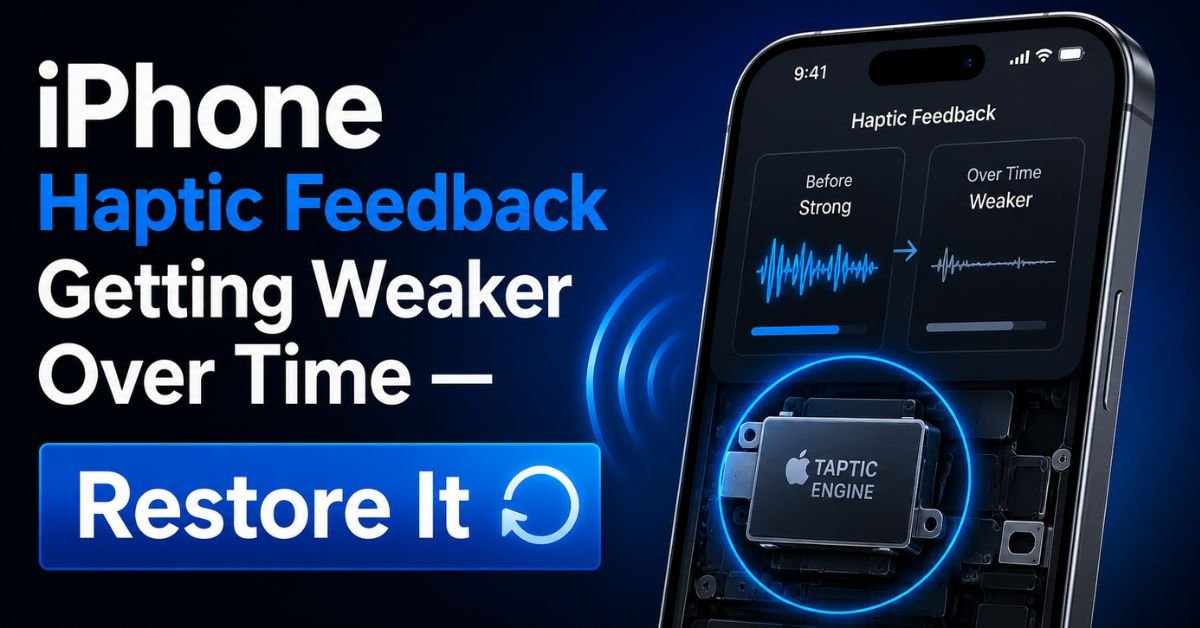
If you feel like your iPhone’s haptic feedback has lost its soul, you aren’t hallucinating. Over time, a mix of software throttling, battery degradation, and (rarely) mechanical fatigue can turn your premium device into something that feels like a cheap toy.
I’ve spent the last week digging into the guts of iOS and the physics of the Linear Resonant Actuator (LRA) to figure out why this happens and how we can get that day-one “clicky” feeling back.
The ‘Soft Vibration’ Syndrome: Real-World Scenarios
We’ve all been there. You’re sitting in a quiet meeting, your phone is on the table, and you see the screen light up with a call—but you didn’t hear or feel a thing. Traditionally, we blame the “Do Not Disturb” mode, but often the culprit is a weakening Actuator Pulse.
When haptics go soft, it’s a gradual decline. It starts with the Haptic Touch on the lock screen (the flashlight or camera icons) feeling slightly delayed. Then, the system-wide “ticks” when you scroll through a date picker start to blend together. Instead of distinct, individual bumps, it feels like a continuous, weak hum.
In my experience repairing these devices, users often mistake this for a hardware failure. They think the “vibration motor” is dying. While the Taptic Engine is a beast of a component, it’s surprisingly resilient. Most of the time, the “weakness” is actually the iPhone’s brain (the CPU) deciding it doesn’t have the energy or the thermal headroom to give the motor the full voltage it needs.
Software Calibration: First Steps to Restoration
Before you assume your hardware is toast, we need to check if iOS is intentionally holding back. Apple has hidden haptic settings in places you wouldn’t expect.
Checking Haptic Touch Duration
Go to Settings > Accessibility > Touch > Haptic Touch. I’ve noticed that after some iOS updates, this setting occasionally defaults to “Slow.” If it’s on slow, the delay makes the vibration feel heavier and less “instant,” which our brains interpret as “weaker.” Switch it to Fast. It’s a night-and-day difference for the tactile response when long-pressing icons.

The System Haptics Toggle
It sounds stupid, but check Settings > Sounds & Haptics. Scroll to the bottom and ensure System Haptics is toggled on. I’ve seen cases where a “Reset All Settings” or a random software glitch toggled this off, leaving only the basic vibration motor active for calls but killing the “micro-interactions” that make the iPhone feel premium.
Keyboard Feedback Nuances
If your keyboard feels mushy but the rest of the phone feels fine, check Settings > Sounds & Haptics > Keyboard Feedback. Make sure Haptic is on. Sometimes, if you have a third-party keyboard like Gboard installed, it can conflict with the native iOS haptic driver, leading to a stuttering or weak feel. I usually recommend sticking to the native keyboard if you want the tightest synchronization between the Taptic Engine and your fingertips.
The Science of Decay: Why Haptics Weaken Over Time
To fix the problem, you have to understand the Linear Resonant Actuator (LRA). Unlike the old-school Vibration Motors that used a spinning unbalanced weight (ERM), the Taptic Engine uses a weight on springs moved back and forth by an electromagnetic coil. It’s basically a speaker that doesn’t make sound, only movement.
Thermal Throttling and the Actuator
If your iPhone is running hot—maybe you’re fast-charging or you’ve been playing Genshin Impact for an hour—the system will engage in Thermal Throttling. To reduce heat and power draw, iOS lowers the voltage sent to the Taptic Engine. If you’re noticing weak haptics specifically when the phone is warm, this is why.
Battery Health and Power Delivery
This is the “aha!” moment for many. The Taptic Engine requires a sharp, high-voltage spike to create that “crisp” feel. As your Battery Health drops (check yours in Settings > Battery), the battery’s ability to deliver peak power diminishes. When the battery can’t provide that instant surge, the Taptic Engine’s pulse becomes “rounded” rather than “square.” The result? A mushy, weak vibration. If your battery health is below 80%, a battery replacement will actually make your haptics feel brand new again.
Dust and Debris Interference
The Taptic Engine lives in a tiny cavity near the bottom of your phone. While iPhones are sealed, they aren’t hermetically sealed. Over years of pocket dwelling, fine lint can find its way near the speaker grills and the internal vents. While it rarely enters the Taptic Engine itself (which is a sealed unit), debris can dampen the vibrations of the chassis, absorbing the kinetic energy before it reaches your hand.
Pro Tip: The “Vibration Pattern” Wake-up Sometimes the LRA can get “stuck” in a low-power state due to a software bug. Go to Settings > Sounds & Haptics > Ringtone > Vibration and create a “New Vibration.” Tap out a very fast, aggressive rhythm. This forces the driver to cycle through high-frequency pulses, which can sometimes “re-calibrate” the actuator’s resting position.
Hands-on Tips: Restoring the Punchy Feel
If the basic settings didn’t help, we need to get a bit more aggressive.
The ‘Reset All Settings’ Trick
I hate suggesting this because it’s a hassle, but it’s the most effective software fix. Go to Settings > General > Transfer or Reset iPhone > Reset > Reset All Settings. Crucial: This does not delete your photos or apps. It does wipe your Wi-Fi passwords, Apple Pay cards, and Bluetooth pairings. Why does it work? It flushes the plist files (preference files) for the haptic driver. If a corrupted file is telling the Taptic Engine to operate at 60% intensity, this resets it to 100%.
Force Restart to Clear Cache
A standard “Slide to power off” doesn’t fully clear the hardware’s volatile memory. You need to do a Force Restart:
- Press and quickly release Volume Up.
- Press and quickly release Volume Down.
- Hold the Side Button until the Apple logo appears. This re-initializes the communication bridge between the iOS kernel and the Taptic Engine’s dedicated controller.
Hardware Case Studies and Success Stories
In my time at the repair bench, I’ve seen some weird stuff.
The ‘Loose Screw’ Phenomenon
I once had a customer with an iPhone 12 Pro who complained that his phone “rattled” instead of vibrating. When I opened it up, I found that one of the three screws holding the Taptic Engine to the frame had literally vibrated itself loose. Because the motor wasn’t firmly attached to the chassis, the energy was being lost into the air instead of the phone’s body. A quick turn of a screwdriver and a tiny bit of thread-locker, and it felt like a brand-new device.
If your phone makes a “buzzing” or “rattling” sound rather than a silent “thump,” you likely have a loose internal component.
iPhone 12 vs. iPhone 15
It’s also worth noting that not all haptics are created equal. The Taptic Engine in the iPhone 15 is significantly more refined than the one in the iPhone 11 or 12. If you’ve recently used a newer model, your older phone might just feel weak by comparison. Apple has transitioned from larger, clunkier actuators to smaller, higher-frequency units that prioritize “texture” over “raw force.”
Common Pitfalls and What Not to Do
When people get desperate, they start doing things that actually damage their phones.
- Never use compressed air directly into the speaker grills or the bottom of the phone. The pressure can rupture the acoustic membranes and actually push dust into the Taptic Engine’s housing.
- Avoid “Vibration Booster” apps. These are almost entirely scams or ad-delivery vehicles. iOS does not allow third-party apps to override the system-level voltage limits of the Taptic Engine for safety reasons.
- Don’t ignore the rattle. If your phone rattles, stop using high-intensity haptics. If a screw is loose, it can eventually fall out and short-circuit the logic board.
If you’ve tried the resets and checked your battery health, and the haptics are still non-existent, it’s time to visit an Apple Authorized Service Provider. The Taptic Engine can fail—the internal springs can snap or the coil can short—but in 90% of the cases I’ve handled, it’s a power or software issue.
Frequently Asked Questions
Q1: Can an iOS update actually make my haptics weaker?
Yes, absolutely. Apple often tweaks the “haptic profile” in different iOS versions to either save battery or change the “feel” of the UI. If you notice a change immediately after an update, it’s likely a deliberate software change. Usually, a follow-up “point” update (like 17.1 to 17.1.1) fixes any unintentional bugs in vibration intensity.
Q2: Does “Low Power Mode” affect haptic feedback?
Yes. When Low Power Mode is active, iOS reduces or entirely disables some “System Haptics” to preserve battery life. If your haptics feel weak, check if your battery icon is yellow. If it is, toggle Low Power Mode off, and you should feel the “punch” return immediately.
Q3: Is the Taptic Engine the same thing as Force Touch?
Not exactly. Force Touch (and later 3D Touch) was a pressure-sensitive layer under the screen. The Taptic Engine is the motor that provided the feedback for that pressure. While Apple removed the pressure-sensitive screens starting with the iPhone 11, they kept the Taptic Engine to simulate the feel via Haptic Touch (which is just a long-press).
Q4: My iPhone vibrates, but it makes a weird grinding noise. What is that?
That is a classic sign of a mechanical failure or a loose screw. The Taptic Engine’s weight is hitting the side of its housing or the frame of the phone. This isn’t something you can fix with software. You’ll need a technician to open the device and either tighten the mounting screws or replace the actuator entirely.
Q5: Will replacing my battery really make my vibrations stronger?
Surprisingly, yes. As mentioned earlier, haptics require a high “burst” of current. Old batteries have high internal resistance, which prevents them from delivering that burst quickly. A fresh battery allows the Taptic Engine to hit its maximum designed “G-force” instantly, resulting in a much crisper feel.