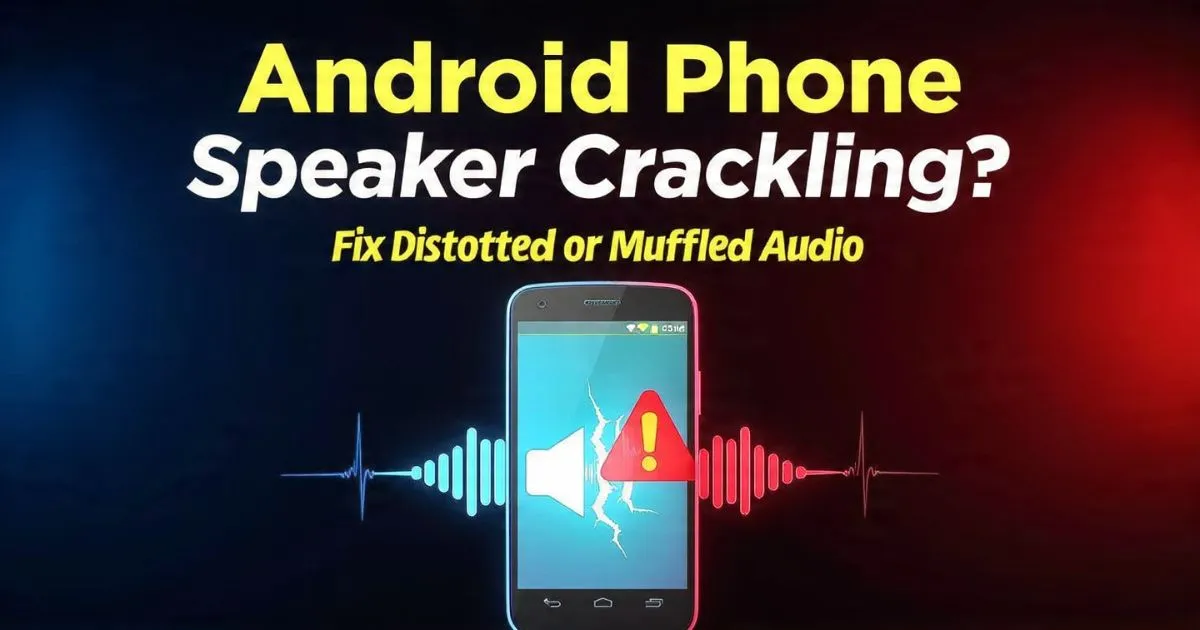
Is your Android speaker actually dying, or is this just a temporary glitch? Before you jump on a frantic Google search for “phone repair near me” or consider trading in your device, take a deep breath. I’ve seen thousands of “broken” speakers that were fixed in under five minutes with nothing more than a free app or a common household item.
You’re scrolling through TikTok or waiting for an important business call when it happens. That crisp, clear audio you’ve taken for granted suddenly turns into a raspy, distorted mess. It sounds like your phone is gargling gravel.
Also Reade : Complete Android Fix Guide: Every Android Problem Solved (2026)
The Moment of Panic: When Your Phone Loses Its Voice
There is a specific kind of sinking feeling that hits when your smartphone starts acting up. We rely on these slabs of glass for everything—alarms, navigation, hands-free calls, and late-night YouTube rabbit holes. When you experience Android phone speaker crackling, it feels like the beginning of the end. You start tallying the costs: $150 for a screen and speaker assembly? $200 for a motherboard repair?
The frustration is real, especially when you miss a notification because the Android speaker buzzing noise masked the sound, or you can’t understand a word during a WhatsApp call. Distorted audio feels like a hardware “death knell,” but in my decade of covering mobile tech, I’ve found that 80% of audio issues are either superficial debris or software-level conflicts.
I’m sharing this guide because I’ve seen too many people get ripped off by repair shops for a “speaker replacement” that was actually just a 30-second cleaning job. Whether you’re dealing with an Android speaker issue after the Android 15 update or your Android speaker is muffled after water exposure, this is your definitive, pro-grade rescue manual.
The Invisible Culprit: It’s Probably Not Broken
The most common reason for Android phone audio crackling issues isn’t a blown speaker—it’s the environment. Your phone spends its life in pockets and bags, which are essentially high-density lint factories.
The Dust and Lint Trap
Over months of use, microscopic dust and pocket lint migrate into the speaker grille. These tiny fibers don’t just sit there; they vibrate against the speaker membrane. When the speaker tries to push air to create sound, these particles create a “buzzing” or “rattling” effect. This is a classic Android speaker issue because of dust.

The Humidity Factor
We take our phones into the bathroom while we shower or leave them on the kitchen counter while boiling water. Even if you don’t drop your phone in the sink, humidity can cause “micro-clumping” of dust inside the grille. This creates a thin, dampened layer that results in an Android speaker muffled sound fix being necessary. It’s not a hardware failure; it’s a physical obstruction.
Software Glitches and Driver Conflicts
Sometimes, the hardware is fine, but the “brain” is confused. I’ve seen an Android speaker issue after a software update occur because the system’s audio low-volume calibration got reset. If the gain is set too high in the software, the physical speaker will clip, causing Android speaker distortion.

The ‘Sound Wave’ Hack: Clearing Water and Dust
If your phone was recently near a pool or you just pulled it out of a dusty pocket, you need to try the “Ejection Method” first. This is a non-invasive way to fix crackling phone audio without opening the chassis.
- High-Frequency Vibration: There are apps specifically designed for this, such as Clear Wave or “Fix My Speakers.” These apps play a specific sequence of high and low-frequency tones. The sound waves are designed to physically vibrate the speaker diaphragm at a rate that pushes water and dust particles outward.
- The ‘Gentle Brush’ Technique: This is where the humble toothbrush becomes a tech hero. Use a soft-bristled (this is crucial) dry toothbrush. Hold your phone with the speaker facing downward and gently brush the grille. Gravity helps the loosened dust fall out rather than being pushed further in.
- Avoid the Compressed Air Trap: You might be tempted to use a can of compressed air. Stop. The pressure from these cans can be high enough to tear the delicate speaker membrane or push debris into the internal housing, making the Android speaker buzzing even worse.
I’ve used this exact method to solve Android speaker issue on Samsung Galaxy devices where the owner was convinced the “water resistance” had failed. Usually, it’s just a droplet stuck in the mesh.
Personal Experience: The 2-Cent Fix That Saved Me $150
A few months ago, my personal Galaxy S23 started exhibiting a horrifying Android speaker popping sound fix-level noise. It happened every time I played music or took a call on speakerphone. It sounded like the hardware had physically detached.
I was ready to take it to the service center. But, being a tech blogger, I decided to do a “pre-mortem.” I grabbed a magnifying glass and a bright LED light. Deep inside one of the tiny speaker holes, I saw a microscopic glint. It wasn’t metal; it was a tiny piece of adhesive from a cheap screen protector I had installed and removed weeks prior.
Using a piece of “Blue Tack” (a reusable adhesive putty), I gently pressed it against the grille and pulled back. The debris came out, and the sound instantly returned to studio quality. The moral? Always check for Android speaker issue because of screen protectors or external debris before assuming the worst.
Also, check your Bluetooth connections. I once spent 20 minutes “fixing” a muffled speaker only to realize my phone was still connected to a pair of Bluetooth earbuds sitting in a case in the next room. The Android speaker issue because of Bluetooth conflict is real and surprisingly common.

Advanced Software Resets
If the cleaning didn’t work, we need to dive into the OS. Android speaker issue because of system UI bug or corrupted cache files can mimic hardware failure perfectly.
1. Boot into Safe Mode
This is the ultimate diagnostic tool. Safe Mode disables all third-party apps. If the Android phone audio crackling disappears in Safe Mode, you know a third-party app (like a custom equalizer, a game, or even a rogue social media app) is causing the conflict.
- How to: Hold the power button, then long-press the “Power Off” icon on the screen until the Safe Mode prompt appears.
2. Reset the Media Server
The Media Server is a background process that handles all audio and video on Android. If it gets “clogged,” you might experience an Android speaker not responding quickly.
- Go to Settings > Apps > See all apps.
- Tap the three dots (Menu) and select Show System.
- Find Media Storage or Media Server.
- Tap Storage & Cache and select Clear Cache. Restart your phone.
3. Disable Audio Enhancements
Modern phones come with Dolby Atmos, 360 Reality Audio, and “Adaptive Sound.” Sometimes these algorithms clash, especially after an Android speaker issue after Android 14 or 15 update.
- Navigate to Settings > Sound & Vibration > Sound Quality and Effects.
- Toggle off Dolby Atmos and any “Equalizer” settings to see if the raw audio signal is clearer. This is a common Android speaker static noise fix.
Brand-Specific Weirdness
Different manufacturers have different quirks.
- Samsung Galaxy: Often suffers from “low volume calibration” issues. Try dialing
*#0*#in the phone app to enter the hardware diagnostic menu and test the “Speaker” directly. - Google Pixel: Known for Android speaker issue on Pixel phones where the “Adaptive Sound” feature actually makes the speaker sound tinny in small rooms. Disable it in Sound settings.
- Xiaomi/OnePlus: These brands often use very fine mesh that is prone to Android speaker issue because of moisture. Use the “Clear Speaker” setting found in Additional Settings on MIUI/HyperOS.
When is it Actually a Hardware Issue?
I don’t want to give you false hope if your hardware is truly toast. You likely need a professional repair if:
- The crackling happens at all volumes: If it only crackles at 100% volume, it’s likely a software gain issue. If it crackles at 10%, the physical voice coil is probably warped.
- Android speaker issue after dropping phone: If the sound changed immediately after a physical impact, the magnet or the flex cable is likely displaced.
- Android speaker issue after screen replacement: If you just had your screen fixed and the audio is now muffled, the technician likely misaligned the gaskets or forgot to remove the protective film from the new speaker module.
FAQ: The “Don’ts” of Speaker Repair
Q: Can I use a needle to clean my speaker? A: Never. This is the fastest way to kill your phone. The speaker membrane is a microscopic layer of film. One tiny puncture from a needle, and you’ve turned a “cleaning job” into a permanent hardware failure.
Q: Does the ‘rice trick’ work for muffled speakers? A: No, rice is a myth. In fact, the starch and dust from the rice can get inside the speaker holes and harden, making the Android speaker muffled after water issue even worse. Use silica packets or a simple desk fan.
Q: Why does my speaker crackle only during charging? A: This is likely an Android speaker crackling while charging issue related to electrical interference or a poorly grounded charging cable. Try a different “brick” and cable to see if the static disappears.
Q: My speaker sounds bad only on YouTube? A: Check for an Android speaker issue on YouTube by clearing the YouTube app cache. It’s rarely the speaker hardware if it only happens in one specific app.
Final Thoughts: Trust Your Ears, But Check the Basics
Before you resign yourself to a quiet life or a heavy repair bill, run through these steps. Clean the grille with a soft brush, run a frequency ejection sound, and toggle your software settings.
In the vast majority of cases, that Android speaker popping sound is just a sign that your tech needs a little “digital spring cleaning.” If you’ve tried everything—from Safe Mode to the “toothbrush trick”—and the Android speaker no response issue persists, then and only then should you head to the pros.
Pro Tip: If you’re heading to a repair shop, tell them exactly what you’ve already tried. It shows you’re an informed user and prevents them from overcharging you for basic troubleshooting!