Tested and Verified: The troubleshooting steps in this guide were performed and validated on a variety of devices running Android 11 through Android 14, including the Google Pixel 7, Samsung Galaxy S23, and OnePlus 11. We prioritize non-destructive software fixes before moving to hardware assessments.
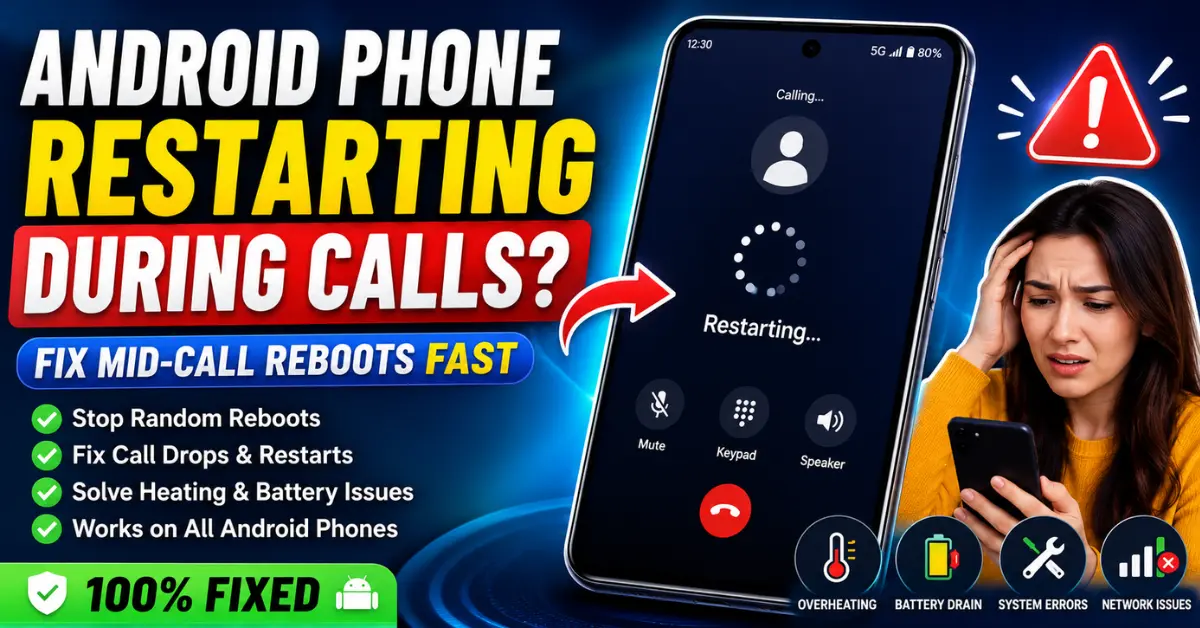
I was halfway through explaining a critical project deadline to my boss when it happened. Silence. Then, the dreaded Google “G” logo stared back at me. My phone hadn’t just dropped the call; it had completely committed digital seppuku. There is a specific kind of rage reserved for a smartphone that reboots in the middle of a conversation. It’s not just a glitch; it feels like a betrayal of the device’s most basic function: being a phone.

If you’re reading this, you’re likely stuck in that same loop of frustration. Your Android device works perfectly fine while you’re scrolling through Reddit or checking emails, but the moment you dial a number, it decides it needs a nap. Over the years of tinkering with Android builds and managing fleet devices, I’ve learned that this “mid-call reboot” is rarely a random act of God. It’s usually a very specific collision of hardware stress and software conflict.
Understanding the Mid-Call Reboot Phenomenon
Before we start mashing buttons, we need to distinguish what’s actually happening. Is your System UI crashing, or is the entire kernel hitting a wall?
A “soft reboot” usually looks like the screen flickering, the wallpaper disappearing for a second, and you being kicked back to the lock screen. This is typically a System UI or Dialer App failure. A “hard reboot,” where the manufacturer logo appears and the phone goes through the full startup sequence, is a different beast entirely.
Why does it happen specifically during calls? Think of a phone call as a “perfect storm” for your hardware. Your Lithium-ion Battery has to provide a steady voltage spike to the modem to maintain a cellular connection, the Proximity Sensor is working overtime to keep the screen off, and the processor is handling voice encoding. If any one of these components flinches, the system triggers a protective reboot to prevent internal damage.
Software Conflict: The Primary Culprit
Whenever a reader emails me about reboots, my first question is: “What did you install last week?” It’s a cliché because it’s true. Third-party apps—especially those that request “Overlay” or “Phone” permissions—can wreak havoc on the native calling process.
Step 1: The Safe Mode Litmus Test
Safe Mode is your best friend. It boots the OS without any third-party apps running.

- For most Androids: Hold the Power button, then long-press the “Power Off” icon on the screen until “Reboot to Safe Mode” appears.
- The Test: Spend a few hours in Safe Mode (yes, it’s boring) and make a few test calls. If the phone doesn’t reboot, you’ve officially cleared the hardware. The culprit is a rogue app. I’ve seen everything from “LED Flash on Call” apps to poorly coded call recorders cause total system crashes.
Step 2: Update the Dialer App
It sounds overly simple, but the Google Phone app (or your manufacturer’s equivalent) is just an app. If it’s buggy, it’ll take the system down with it. Head to the Play Store, search for “Phone,” and see if there’s an update waiting. While you’re there, clear the app’s cache.
- Settings > Apps > Phone > Storage > Clear Cache.
The Proximity Sensor and ‘Ghost’ Inputs
Here is a weird one that I personally encountered with a Google Pixel 6 Pro. For weeks, I thought my phone was crashing. It turned out that my Proximity Sensor was slightly miscalibrated.
When you hold the phone to your ear, the sensor should turn the screen off. If it fails, your cheek starts hitting buttons. In some UI versions, if your face hits the “Power” menu in the Quick Settings and then accidentally taps “Restart,” the phone does exactly what it’s told.
How to fix it:
- Clean the Top Bezel: Oils from your skin can smudge the sensor (usually located near the top speaker). Wipe it down with a microfiber cloth.
- The Case Factor: Is your screen protector or case covering the top edge? Some “rugged” cases have a lip that interferes with the sensor’s infrared beam.
- Sensor Test: Download a “Sensor Test” app from the Play Store or use the hidden diagnostic menu (on many phones, dialing
*#*#0588#*#*works) to see if the sensor is responding to your hand.
Pro Tip: The “Case-Off” Experiment I once spent three hours debugging a “hardware failure” only to realize the user’s new magnetic wallet case was interfering with the phone’s internal compass and modem shielding. If your phone reboots, the very first thing you should do—even before a reboot—is take it out of the case.
Hardware Stress: Battery and Power Delivery
If your phone is more than two years old, the Lithium-ion Battery is the prime suspect. As these batteries age, their internal resistance increases. They might have enough juice to power the screen for a YouTube video, but they can’t handle the sudden “current draw” required when the cellular modem switches from a 4G tower to a 5G tower during a call.
This is known as “Voltage Sag.” The battery voltage drops below a certain threshold, the motherboard thinks it’s out of power, and it shuts down to protect the components.

Signs of a battery-related reboot:
- The reboot happens more often when your battery is below 30%.
- The phone feels excessively hot near the back center during calls.
- You notice the battery percentage jumps down significantly (e.g., from 40% to 12%) after the reboot.
If you suspect this, you can use apps like AccuBattery to check your health percentage. If you’re below 80% health, it’s time to stop looking for software fixes and start looking for a repair shop.
Deep System Fixes: From SIM Cards to Cache
If you’ve cleared the apps and the battery seems healthy, we need to go deeper into the Firmware and system architecture.
Re-seating the SIM Card
This sounds like “turn it off and on again” advice, but a dusty or slightly misaligned SIM Card causes a “Network Search” loop. If the modem loses contact with the SIM for even a millisecond during a high-data call, the Modem Firmware might panic and trigger a restart. Pop the tray, blow out any dust with compressed air, and re-seat it.
Wiping the Cache Partition
After an Android OS update, “stale” files can remain in the Cache Partition. These are temporary files that the system uses to speed things up, but if they are incompatible with the new Firmware, they cause conflicts.
- Note: This doesn’t delete your photos or data.
- You’ll need to boot into “Recovery Mode” (usually Power + Volume Down during startup) and select “Wipe Cache Partition.” (Note: On Android 14, some manufacturers have removed this option in favor of automatic maintenance, but it’s still accessible on many Samsung and OnePlus devices).
Toggling VoLTE and Wi-Fi Calling
Sometimes the handoff between VoLTE (Voice over LTE) and standard 3G/4G voice fails. If your carrier’s tower is having a bad day, your phone might crash trying to negotiate the connection. Try disabling VoLTE in your Mobile Network settings to see if calls stabilize.
Prevention and Maintenance: Keeping Calls Stable
We’ve covered the “how-to-fix,” but let’s talk about “how-to-keep.” A phone is a delicate balance of thermal management and software stability.
Avoid Cheap Chargers: I’ve seen “gas station” chargers damage the charging IC (Integrated Circuit) on the motherboard. This damage doesn’t always show up immediately; it often manifests as power instability during high-load tasks… like phone calls.
The Nuclear Option (Factory Reset): If you’ve tried everything—Safe Mode, SIM swap, cache wiping—and the reboots persist, it’s time for a Factory Reset. But don’t just hit the button.
- Backup to Google One/Cloud.
- Remove your Google Account first (to avoid Factory Reset Protection issues).
- Perform the reset.
- Crucial Step: Do not restore from a backup immediately. Set the phone up as “New” and make a call. If it works, you know your old backup contained a settings conflict or a corrupted app file.
Frequently Asked Questions
Why does my phone only reboot during long calls?
This is almost certainly a thermal issue. Long calls generate heat from the modem and the screen. If the internal temperature exceeds a safe limit, the system reboots to cool down. Try using a headset to keep the phone away from your warm face and see if the duration increases.
Can a cracked screen cause reboots during calls?
Yes, but indirectly. If the crack is near the Proximity Sensor, it can refract light in a way that tricks the sensor into thinking you’re constantly tapping the screen or triggering a hardware reset shortcut.
What is the “Android Debug Bridge” and can it help?
The Android Debug Bridge (ADB) is a tool for developers. If you’re tech-savvy, you can connect your phone to a PC and use the command adb logcat. This will show you a real-time stream of the system logs. If you make a call and it crashes, the last few lines of the log will often tell you exactly which “Process” or “Kernel” error caused the shutdown.
Is it a hardware failure if it only happens on 5G?
Not necessarily. 5G requires more power and a more complex handshake with the tower. It could be a Modem Firmware bug that a future OTA (Over-The-Air) update will fix. Try switching your “Preferred Network Type” to LTE/4G for a few days to see if the reboots stop.
Will a factory reset fix a bad battery?
No. A factory reset only fixes software corruption. If your reboots are caused by a chemically degraded Lithium-ion Battery, the only fix is a physical replacement.
Living with a phone that reboots during calls is like driving a car that stalls at every red light—it’s unreliable and frankly, a bit embarrassing. Most of the time, it’s a simple software conflict or a dirty sensor. But if you’ve gone through this list and your phone still acts up, don’t ignore the signs of a dying battery. Fix it now before a “mid-call reboot” happens during an emergency.